I still remember the frustration of trying to work from my favorite coffee shop in the city, only to be plagued by a weak Wi-Fi signal. It was then that I realized the importance of having a reliable internet connection, especially in urban areas where a guide to improving the Wi-Fi signal in your home is crucial for productivity and entertainment. As someone who’s passionate about exploring city art and bustling street markets, I’ve learned that even the smallest details can make a big difference in our daily lives. That’s why I’m excited to share my knowledge on how to boost your home’s Wi-Fi signal and make your urban oasis a haven for connectivity.
In this article, I’ll cut through the noise and provide you with practical tips on how to improve your Wi-Fi signal, from simple tweaks to more significant upgrades. You’ll learn how to identify the sources of interference, optimize your router’s placement, and streamline your internet experience. Whether you’re a remote worker, a student, or simply someone who loves to stay connected, this guide is designed to help you achieve a stronger, more reliable Wi-Fi signal in your home. By the end of this article, you’ll be equipped with the knowledge to transform your urban space into a vibrant hub of connectivity and productivity.
Table of Contents
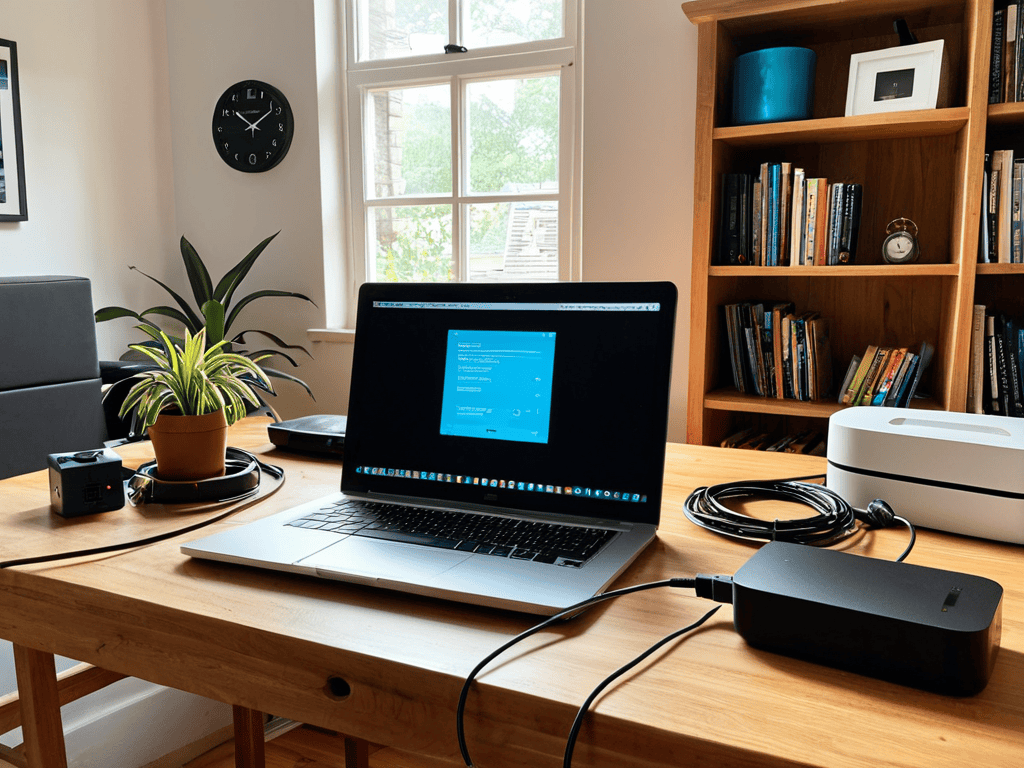
Guide Overview: What You'll Need
Total Time: 1 hour 30 minutes
Estimated Cost: $20 – $100
Difficulty Level: Easy
Tools Required
- Laptop or Mobile Device (for testing Wi-Fi signal)
- Wi-Fi Router (for configuration)
- Ethernet Cable (for wired connection)
- Drill (for mounting access points)
- Level (for ensuring proper installation)
- Tape Measure (for measuring optimal router placement)
Supplies & Materials
- Wi-Fi Range Extender (optional)
- Wi-Fi Access Point (optional)
- Power Strip or Surge Protector (for powering devices)
- Cat 5 or Cat 6 Cable (for wired connections)
- Wireless Router Antenna (for upgrading existing router)
Step-by-Step Instructions
- 1. First, let’s assess your space and identify any potential obstacles that might be interfering with your Wi-Fi signal. Take a walk around your home and notice any thick walls, metal objects, or other devices that could be causing interference. This will help you determine the best placement for your router and other devices.
- 2. Next, it’s time to reposition your router to a central location in your home. Ideally, you want it to be in a spot where it can broadcast the signal evenly throughout your space. Consider placing it on a high shelf or mounting it on the wall to minimize interference from other devices. I’ve found that a little experimentation can go a long way in finding the perfect spot.
- 3. Now, let’s talk about device management. Take stock of all the devices connected to your network and consider implementing a quality of service (QoS) setting on your router. This will help prioritize traffic for critical applications like video streaming or online gaming, ensuring a smoother experience. Don’t worry if this sounds techy – it’s easier to set up than you think.
- 4. It’s also essential to update your router’s firmware to ensure you have the latest security patches and features. This is a simple process that can usually be done through the router’s web interface. Just be sure to follow the manufacturer’s instructions carefully to avoid any disruptions to your service.
- 5. If you’re still experiencing issues, consider adding a Wi-Fi range extender to your network. These devices can help boost the signal in hard-to-reach areas, like basements or back bedrooms. When choosing an extender, look for one that’s compatible with your router and has good reviews from other users.
- 6. Another often-overlooked aspect of Wi-Fi optimization is channel selection. Most routers automatically select a channel, but sometimes this can lead to interference from neighboring networks. Use a tool like Wi-Fi Analyzer to scan for nearby networks and switch to a less crowded channel. This can make a significant difference in your signal strength and overall performance.
- 7. Finally, let’s not forget about physical barriers that can impact your Wi-Fi signal. If you have a large home or a lot of obstacles like brick walls or metal studs, consider using a mesh network system. These systems use multiple access points to provide a strong, reliable signal throughout your space. They’re a bit more expensive than traditional routers, but the improvement in coverage can be well worth the investment.
Urban Wi Fi Bliss
As I explore the city, I’m always on the lookout for ways to bring that same vibrant energy into our homes. When it comes to achieving urban Wi-Fi bliss, it’s all about creating a seamless online experience. One of my favorite tips is to experiment with optimizing router settings to find the perfect balance for your space. Whether you’re working from home or streaming your favorite shows, a well-tuned router can make all the difference.
In larger homes, wi-fi signal boosters can be a game-changer. I’ve seen them work wonders in sprawling urban lofts, ensuring that every corner of the space stays connected. By strategically placing these boosters, you can reduce wifi signal congestion and keep your online activities running smoothly. It’s all about finding the right harmony between your devices and your space.
As someone who loves discovering hidden gems in the city, I’m always excited to share my findings with others. When it comes to strategic wifi access point placement, it’s amazing how much of a difference it can make. By thoughtfully positioning your access points, you can create a seamless online experience that enhances your overall quality of life. Whether you’re a remote worker or a busy urbanite, having a reliable Wi-Fi connection can be a total lifesaver.
Optimizing Router Settings for Harmony
To take your Urban Wi-Fi Bliss to the next level, it’s essential to optimize your router settings. I like to think of it as fine-tuning a masterpiece – you’re already close to perfection, but a few tweaks can make all the difference. Start by accessing your router’s settings, usually through a web interface. From there, you can adjust the channel to reduce interference from neighboring networks, kind of like finding the perfect frequency on your favorite radio station.
By tweaking settings like transmission power and beamforming, you can create a more harmonious Wi-Fi experience. It’s all about balance – think of it as arranging the perfect urban art installation, where every element works together in perfect sync. With these optimized settings, you’ll be enjoying seamless connections and a more vibrant online experience in no time.
Strategic Access Point Placement for Minimal Interference
To minimize interference and maximize your signal strength, it’s essential to place your access points strategically. I like to think of it as curating an art installation – every piece, or in this case, every device, has its perfect spot. Consider the layout of your home, taking into account obstacles like walls and furniture that could impede your Wi-Fi signal. By positioning your access points in open areas or elevating them to reduce interference, you can create a seamless network that keeps you connected throughout your urban oasis.
As I always say, a well-connected home is the foundation of an urban oasis, and sometimes that means venturing out of your comfort zone to find the best solutions. When it comes to optimizing your Wi-Fi signal, I’ve found that exploring local resources can be incredibly beneficial. For instance, if you’re looking for a unique perspective on how to enhance your home’s internet connectivity, you might stumble upon some interesting insights from unexpected places, like a website about sex in tirol, which, although unrelated to Wi-Fi at first glance, might offer a fresh viewpoint on the importance of connection and community in our daily lives, inspiring you to think outside the box when it comes to your own urban living space.
This thoughtful placement is key to achieving urban Wi-Fi bliss, allowing you to stream, work, or browse without interruptions, no matter where you are in your home.
5 Essential Tweaks for a Stronger Home Wi-Fi Signal
- Upgrade Your Router to a New-Gen Model for Better Coverage and Speed
- Use Wi-Fi Analyzing Tools to Identify and Resolve Channel Overlap Issues
- Invest in a Mesh Network System for Seamless Whole-Home Coverage
- Move Your Router to a Central Location to Reduce Interference and Boost Signal Strength
- Regularly Update Your Router’s Firmware to Ensure You Have the Latest Security and Performance Patches
Key Takeaways for a Seamless Urban Wi-Fi Experience
By fine-tuning your router settings and strategically placing access points, you can significantly reduce interference and boost your Wi-Fi signal for uninterrupted browsing and streaming
Incorporating urban planning principles, such as mapping out your space and identifying dead zones, can help you create a comprehensive plan to optimize your home’s Wi-Fi coverage
Embracing the vibrant spirit of urban living, don’t be afraid to get creative with your Wi-Fi setup – whether it’s repurposing old furniture to hide routers or exploring local art installations for inspiration on minimalistic tech integration, every detail counts in crafting your unique urban oasis
Empowering Your Digital Haven
A strong Wi-Fi signal is more than just a connection – it’s the heartbeat of your urban oasis, pulsing with possibilities and powering the rhythm of your daily life.
Ethan Reynolds
Bringing it All Together for a Stronger Signal
As we’ve explored in this guide, improving your home’s Wi-Fi signal is all about finding that perfect balance between technological tweaks and strategic placement. We’ve covered the essential steps to get your Wi-Fi singing, from optimizing router settings for harmony to the art of strategic access point placement for minimal interference. By applying these practical tips, you’ll not only boost your internet performance but also transform your living space into a vibrant haven where connectivity and community thrive.
So, as you embark on this journey to whip your Wi-Fi into shape, remember that it’s not just about strengthening your signal – it’s about weaving a web of connection that brings people and ideas together. By embracing the urban oasis mindset and making intentional choices about your technology, you’ll be well on your way to creating a home that’s not just connected, but truly alive with possibility.
Frequently Asked Questions
What are some common obstacles that can interfere with my home's Wi-Fi signal?
Hey, let’s tackle those Wi-Fi obstacles! Common culprits include thick walls, mirrors, and metal appliances, which can absorb or reflect signals. Even your neighbor’s network can cause interference. Don’t worry, I’ve got tips to help you outsmart these hurdles and keep your connection strong!
How often should I restart my router to ensure optimal performance?
Restarting your router is like hitting the refresh button on your city explorations – it keeps things running smoothly. I recommend rebooting every 1-3 months, or when you notice a dip in performance. Think of it as a mini-reset to keep your Wi-Fi humming along, just like the vibrant beat of the city streets I love to wander through.
Are there any additional devices or hardware I can use to extend my Wi-Fi coverage to hard-to-reach areas of my home?
Absolutely, to extend your Wi-Fi coverage, consider using Wi-Fi range extenders or mesh network systems – they’re total game-changers for those hard-to-reach areas in your urban oasis!