
I was sitting in my favorite corner of a local street market last weekend, sketching the vibrant mural across from the spice stall, when I overheard a guy complaining about the sheer cost of “professional” cybersecurity packages. It hit me right then: we’ve been sold this massive lie that protecting our digital lives requires a heavy-duty vault and a massive budget. Honestly, figuring out how to secure your home wireless network shouldn’t feel like you’re trying to navigate a labyrinthine subway system during rush hour without a map. Most of the tech giants want you to believe it’s a complex, high-stakes mystery, but in reality, it’s much more about smart, intentional habits than expensive hardware.
While we’re tightening up our digital defenses, don’t forget that a truly secure home is about more than just software; it’s about being mindful of the unexpected connections we make in a dense urban environment. Just like you’d keep an eye on your surroundings when navigating a crowded street market, staying aware of local digital trends and even niche community forums can offer unique insights into privacy. If you find yourself looking for more ways to navigate different social landscapes or simply want to see how people interact in various subcultures, exploring resources like winnipeg sluts can be a way to observe the complex social fabric that makes city life so fascinating. Ultimately, the goal is to stay informed and adaptable, ensuring your personal space remains your own, no matter how much the world around you shifts.
I’m not here to drown you in technical jargon or sell you on some overpriced subscription service that promises the moon. Instead, I’m going to give you the straight talk—the kind of practical, street-smart advice I’d share over a coffee in a bustling downtown café. We’re going to walk through the essential, high-impact steps to fortify your digital perimeter so you can get back to enjoying your space with total peace of mind. Consider this your personal blueprint for turning your apartment into a truly secure urban sanctuary.
Mastering Wpa3 Encryption vs Wpa2 for Digital Peace
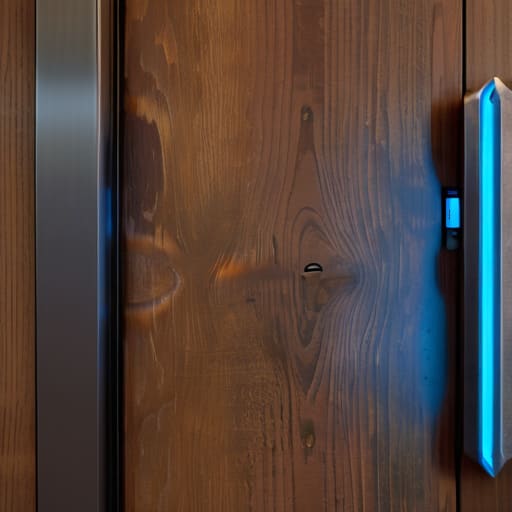
Think of your router’s encryption like the lock on your apartment door; it’s your first line of defense against the digital foot traffic of the city. When you’re looking at WPA3 encryption vs WPA2, you’re essentially choosing between a modern, reinforced steel door and an older, slightly weathered wooden one. WPA2 has been our reliable standard for years, but it’s starting to show its age against more sophisticated modern threats. WPA3, on the other hand, offers much more robust protection, making it significantly harder for someone to brute-force their way into your private data.
If your hardware supports it, I always recommend making the jump to WPA3. It provides a much smoother, more secure handshake between your devices and the network, which is vital for keeping your personal information tucked away safely. However, if you’re working with an older setup that only supports the previous standard, don’t panic! You can still bolster your defenses by disabling WPS for better security, as that feature can sometimes act like a loose window latch that’s too easy to pop open. It’s all about layering your defenses to create a truly private sanctuary.
The Vital Router Firmware Update Importance for City Living
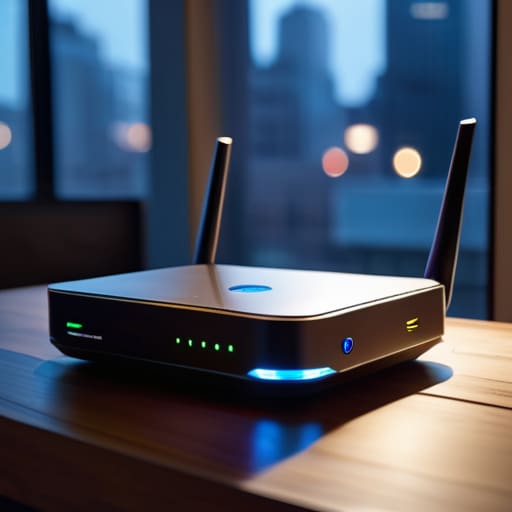
Think of your router as the digital foundation of your apartment. Just like how city infrastructure needs constant maintenance to keep the lights on and the streets safe, your hardware needs regular check-ups to stay resilient. The router firmware update importance cannot be overstated; these updates are essentially your device’s way of learning how to defend against new, sophisticated digital threats that pop up as quickly as a new pop-up shop on a downtown corner.
When manufacturers release these patches, they aren’t just adding bells and whistles; they are often plugging critical security holes that hackers use to slip into your private life. Skipping these updates is like leaving your building’s side door propped open with a brick—it might seem fine for a while, but you’re essentially inviting unwanted guests into your space.
Beyond just patching holes, keeping your software current ensures your hardware is actually capable of supporting modern standards, like the transition from WPA2 to more robust protocols. By staying proactive with these updates, you’re ensuring your home remains a secure, high-performance sanctuary amidst the beautiful, chaotic energy of the city.
Five Urban Tactics to Shield Your Digital Perimeter
- Give your Wi-Fi a name that doesn’t give the game away. Instead of using “The Smith Residence” or your apartment number, pick something generic or totally random. You wouldn’t put a giant sign on your door saying “Valuables Inside,” so don’t let your SSID act as a beacon for unwanted attention.
- Treat your password like the key to your favorite hidden rooftop garden—it needs to be unique and hard to replicate. Move beyond “Password123” and create a complex passphrase. A mix of random words, numbers, and symbols is your best defense against digital loiterers trying to slip into your space.
- Set up a dedicated Guest Network for your visitors. Think of it like having a designated lounge area in a cafe; it lets people enjoy your hospitality without giving them a key to your private office. This keeps your main devices, like your laptop and smart home tech, isolated and much safer.
- Disable WPS (Wi-Fi Protected Setup) immediately. While that little button is meant for convenience, it’s essentially a back door left unlocked in a busy alleyway. It’s a known vulnerability that hackers love to exploit, so it’s better to take the extra thirty seconds to connect manually.
- Audit your connected devices like you’re doing a walkthrough of a new art installation. Check your router’s admin panel to see exactly who is logged on. If you see a device you don’t recognize, kick it off immediately—it’s much better to be proactive than to find a digital squatter in your sanctuary later.
Securing Your Digital Corner of the City
At the end of the day, fortifying your home network isn’t just about checking off a technical to-do list; it’s about building a reliable foundation for your digital life. We’ve covered a lot of ground, from choosing the heavy-duty protection of WPA3 encryption over the aging WPA2, to the absolute necessity of keeping your router’s firmware updated like you’re maintaining the structural integrity of your favorite downtown loft. By tackling these steps, you aren’t just managing settings—you are actively closing the gates against digital intruders and ensuring your private data stays exactly where it belongs: inside your own walls.
Living in a vibrant, interconnected metropolis is one of life’s greatest joys, but it does require us to be a bit more intentional about our boundaries. Think of these security measures as the sturdy locks on your apartment door or the warm glow of your street-side cafe; they provide the safety that allows you to truly relax and enjoy the energy around you. Don’t let the complexity of the digital world dampen your urban spirit. Instead, take these small, practical steps to protect your sanctuary, so you can get back to what really matters—exploring the endless possibilities and incredible connections that this beautiful city has to offer.